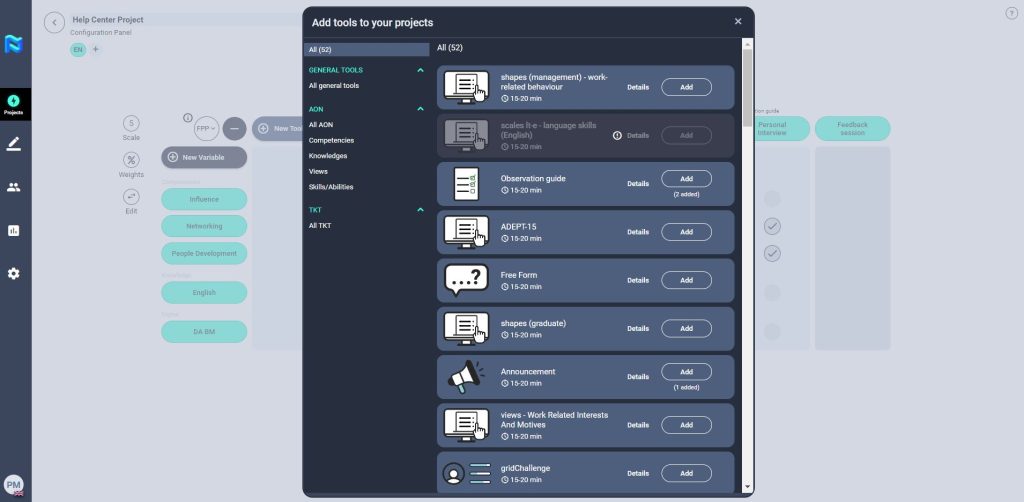
Panorama has a Tools Market where you can access a wide variety of tools with which you can add to a project’s journey. Depending on the objective of the assessment decide which tools will help you build your project journey.
The Tool Market includes Evaluation Tools and General Tools. Let’s have a look at each below:
Evaluation Tools are used to measure the competencies or skills of the participants in a project in order to obtain quantitative information from participants. They can be client tools or third-party tools that can be integrated within the client’s Panorama site. Evaluation Tools tend to be automatically scored assessments that will generate a score upon a participant’s completion of them. This will then be reflected in their final reports.
There are some Evaluation Tools that are not automatically scored. In this case, the assessment will present a series of open-ended questions that can be later evaluated with an Observation Guide, which would require the need of an Assessor. Within the Tools Results, participant responses to Evaluation Tools can be viewed by a PM, HRM or Assessor.
General Tools tend to be those that collect qualitative information from participants in order to gather information such as their aspirations and preferences for internal mobility, geographical mobility, etc. These tools include:
– Announcement: allows you to share information with participants via a URL or document.
– Free form: allows you to collect qualitative information via questions.
– Observation Guide: allows you to collect qualitative information via open-ended questions during a videocall interview.
– Feedback Session: allows you to provide feedback to a participant.
– Documents uploaded by the participant: allows the participant to share documents with the assessor, such as a CV or a document that can answer a Business Case.
– 360º Evaluation: Use this tool if you want to obtain a 360 evaluation of the participants of the project. You will be able to decide if managers, peers and/or direct reports need to assess the participants.
To access the Tools Market, head to the Setup section of a project. Click on the More (+) button.
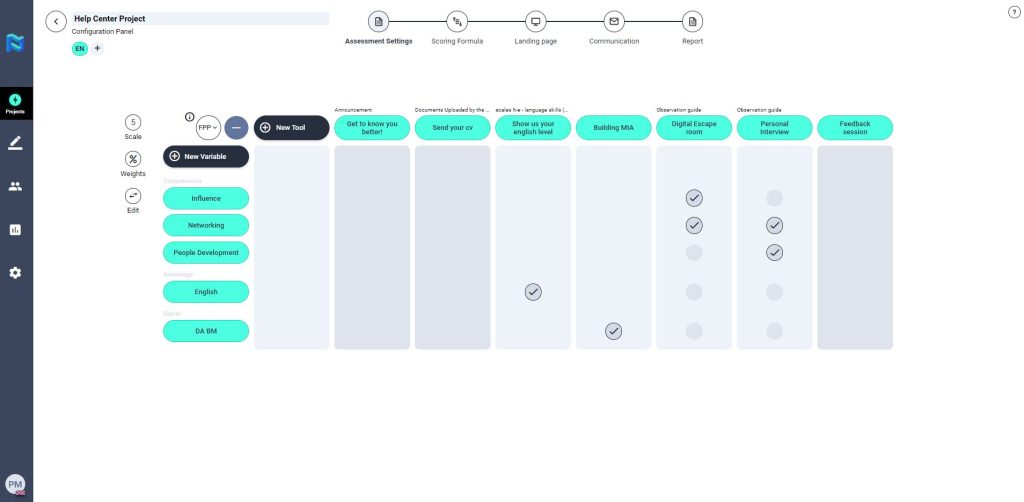
Then select New Tool. A pop-up window will appear where you can select from a wide range of tools.
You will find that the market is divided into three sections where you will all the different evaluation tools.
- General Tools
- Observation Guide
- Free Form
- Announcement
- Feedback Session
- 360º Evaluation
- AON Tools
- These tools are all AON tools that can be integrated within Panorama, such as VidAssess, Views, Shapes, scales, etc.
- TKT Tools
- These are all The Key Talent tools integrated within Panorama including Around The World, Building MIA and Work Burrow. If the client has created a digital business case with TKT they will find these integrated tools within this section.