
On Monday, November 7th after 19:00h CET we will do a Panorama system update. There will be a downtime of 2 hours. This new release will include the following new functionalities:
NEW FEATURES:
Communications – In previous deployments, we included the option to create email templates in the communications area so that you can have them available when communicating with participants or assessors. Now, we have included the option to duplicate and delete templates. When you duplicate a template, you will copy all the original configurations and be able to edit it to adapt the content to what you need in the new template without having to create a new one. The delete template option allows you to delete templates you no longer need or inherited from another project by duplicating them.
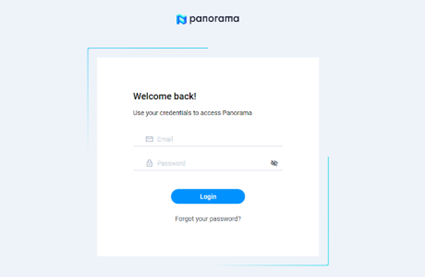
Login – We have redesigned the appearance of the login, new account creation, account lock, password recovery and account activation screens in clients, implementing a much more modern design and with new options such as the possibility of making it visible or hiding the password. In the image below you can see the new format.
360º Evaluation – Before launching the project and inviting the participants, a simulation of the organisation chart and the evaluations to be carried out can be visualised according to the participants involved in the project and the type of evaluation configuration (360, 180º, etc.). When the invitations are sent to the project participants, the simulation will change to the real organisation chart.
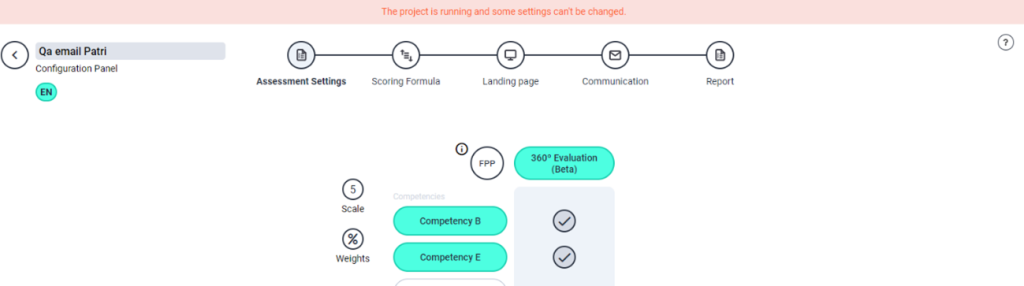
Multi-language project improvements. We have added a banner at the top of the screen where we will indicate that if the project is launched, paused or closed, certain settings cannot be modified. In addition, if you are in a secondary language of the project, we will also notify you so that you know that you have to switch to the main language to be able to edit.
Help Center – We have modified the existing user guide, and now within Panorama, you will be able to check a new user guide contextualized according to the area of Panorama where you are. By simply clicking on the question mark symbol, you will find on the different screens, you will access all the necessary information that will allow you to use the platform easily.
