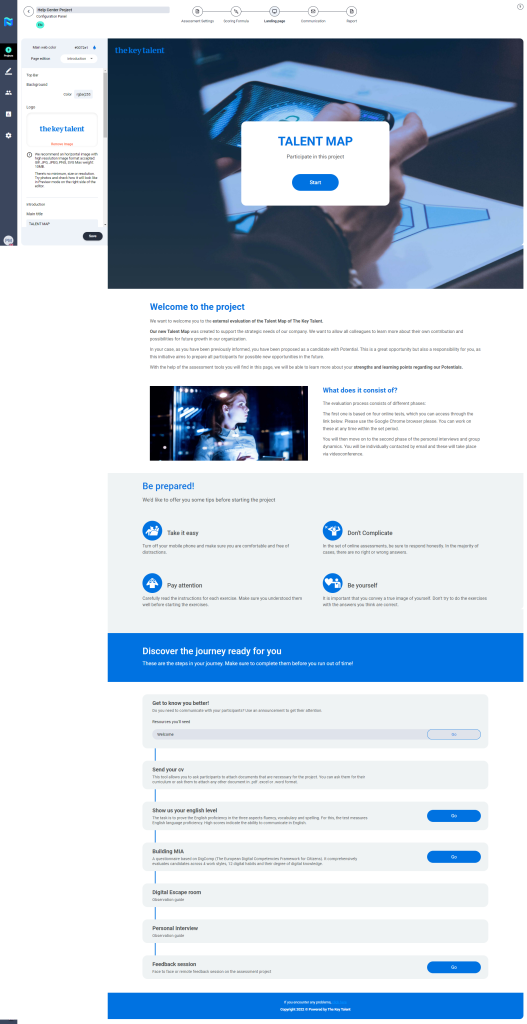
This is the main site of a Project, the main interaction point where the employee can visualize the information and description of the Project and the instructions they will need to follow.
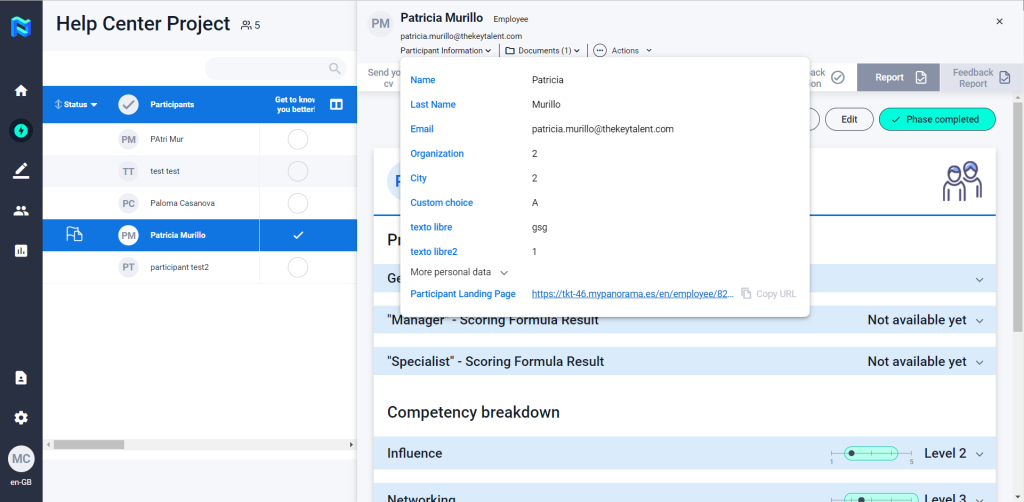
This landing page can be accessed either from the invitation e-mail sent to each of the Project participants. It will also be possible to access this landing page (as a PM or assessor) from the project control screen by accessing the participant information and clicking on More info.
From this landing page, when clicking on each of the tests that appear on it, the participant will be automatically redirected to the selected test, if it is already available for him/her.
This is the access point or site of the Project that we are configuring. In this step of the journey sequence, we will be able to preview how the page that the participant will receive will look like the relation of each of the tests that he or she has to do to complete the process.
The landing page can be adapted to the client’s colours, images, messages and logo. You can upload a video in the Manifesto section of the landing page. URLs support Youtube, Vimeo and any .mp4 format uploaded to a server.