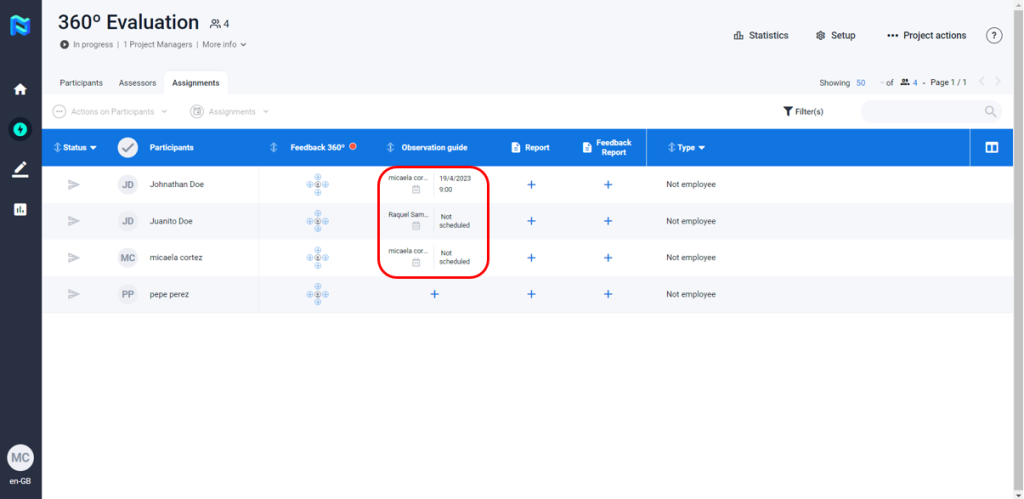
One by one planning
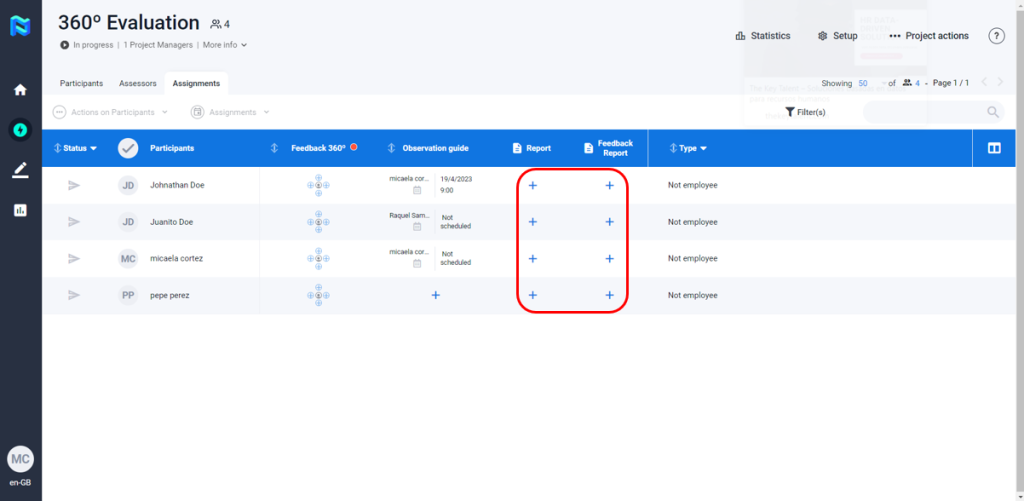
To assign assessors to participants the Project Manager must be placed in the “Assignments” tab and click on the (+) icon.
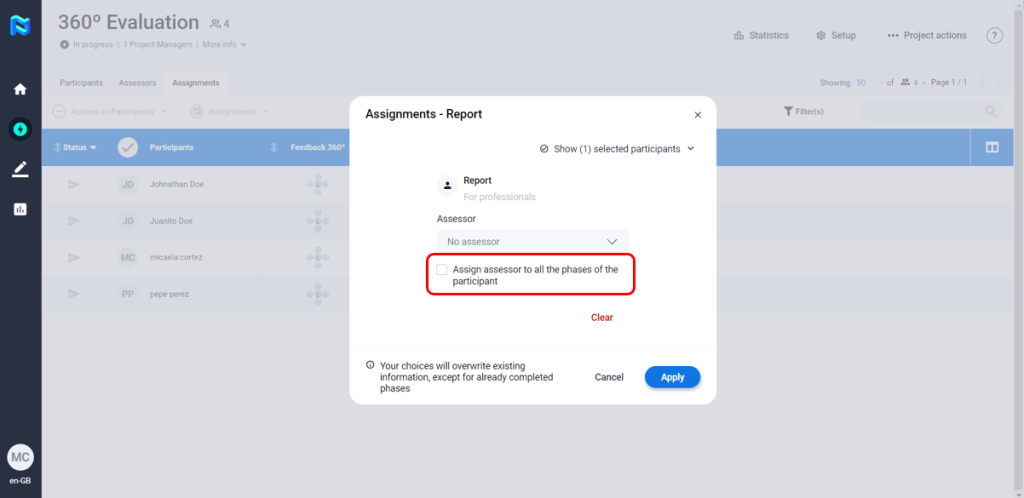
Once done that, it will appear a pop, where you will be able to select the assessor. Additionally, you will have the option to selecet if you want to assign that assessor to all the phases of the participant.
Multiplanner
To assign assessors to participants the Project Manager must be placed in the “Assignments” tab and select the participant(s) to enable the “assignments” option.
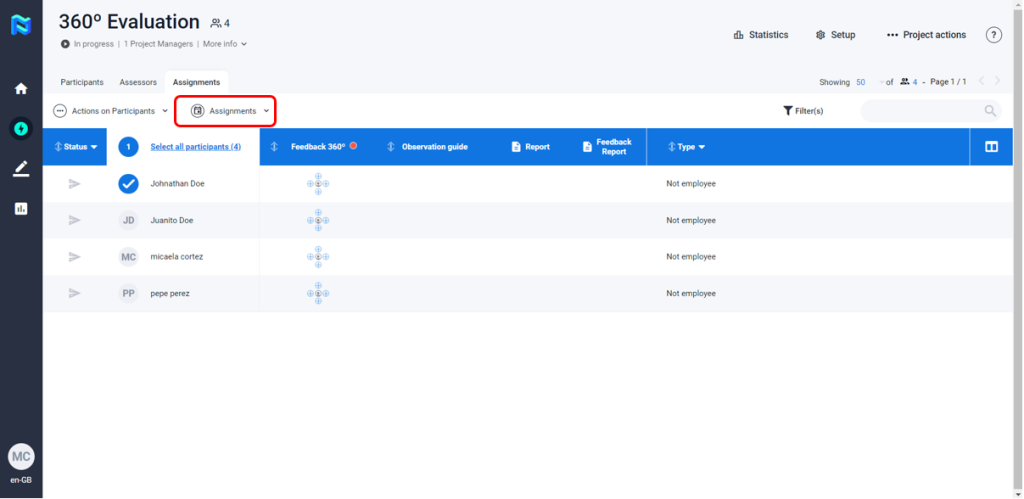
After that, you have to click on the “Assignments” button and select what phase of the project you would like to do the assignation to.
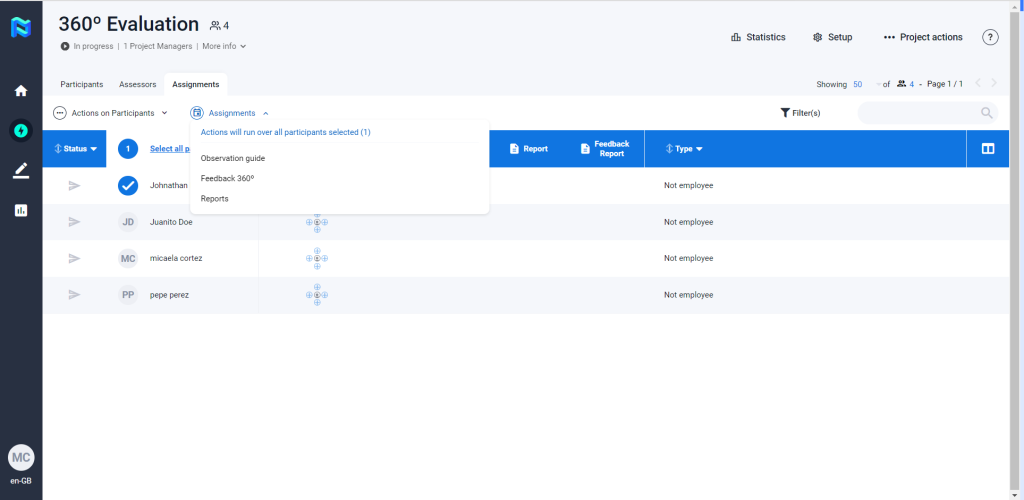
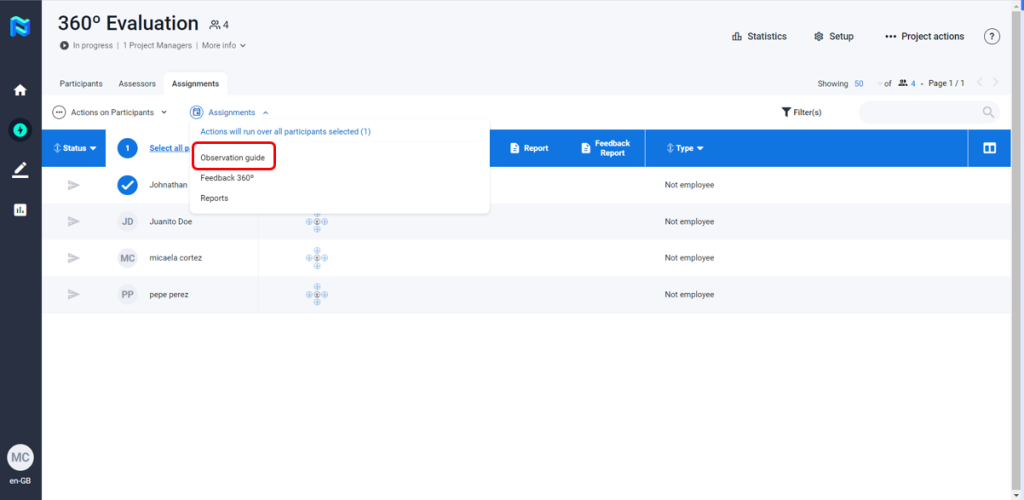
Once you have selected the phase, a pop up will show asking for some information for the assignation.
- Assessor (required)
- Date (optional)
- Start/End hour (optional)
- Location (optional)
In the upper right side, you will be able to see the participants that you have selected before.
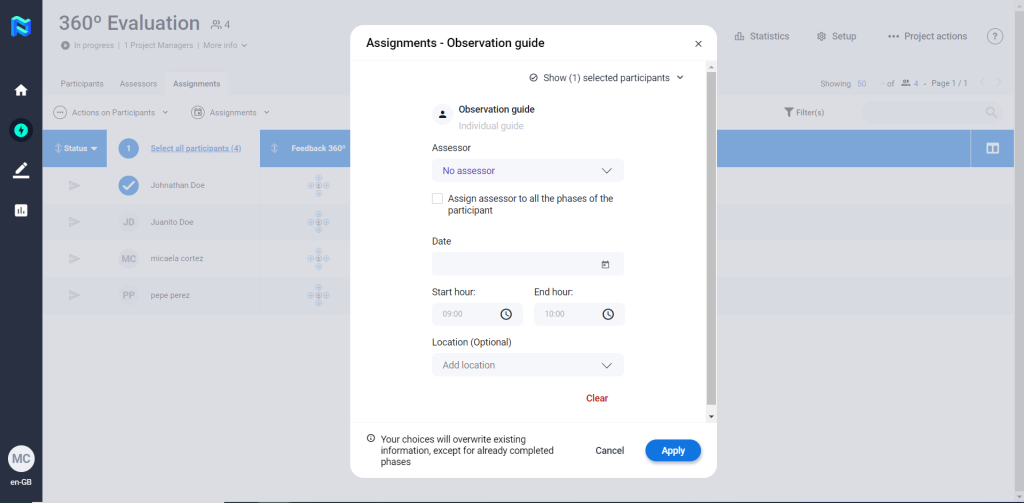
After you fill the information you click on apply and the assessor would be assigned to the participant(s).