First, find your participant in the table and access the phase they have to evaluate by clicking on the “edit” button.
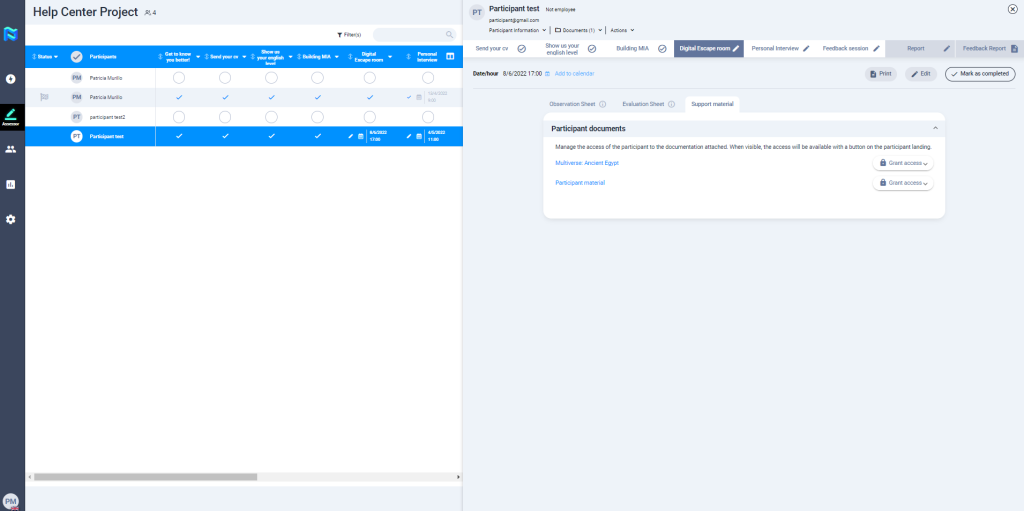
Now it is time to grant access to the participant with the necessary documentation to carry out the exercise. Depending on the type of exercise, it can be documentation for a role play, a business case, or a group exercise, for example.
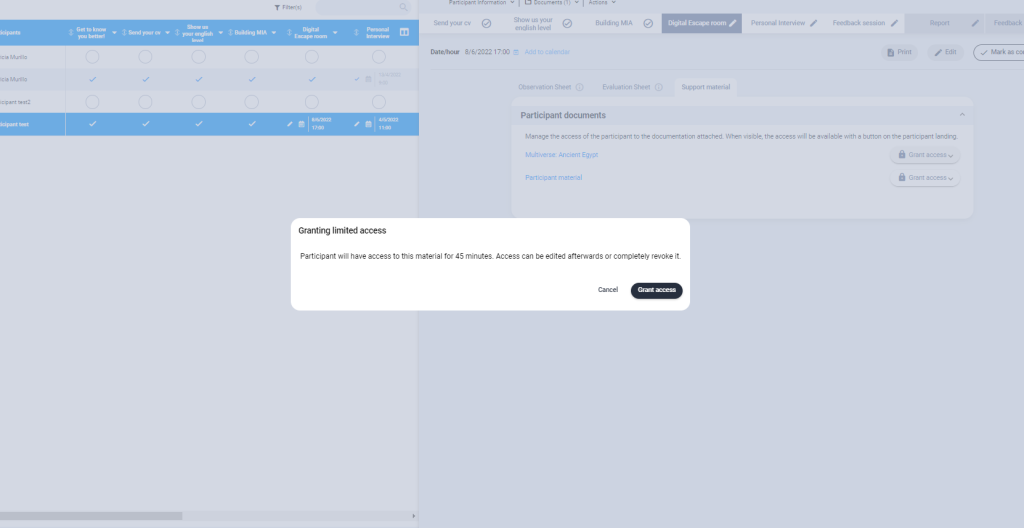
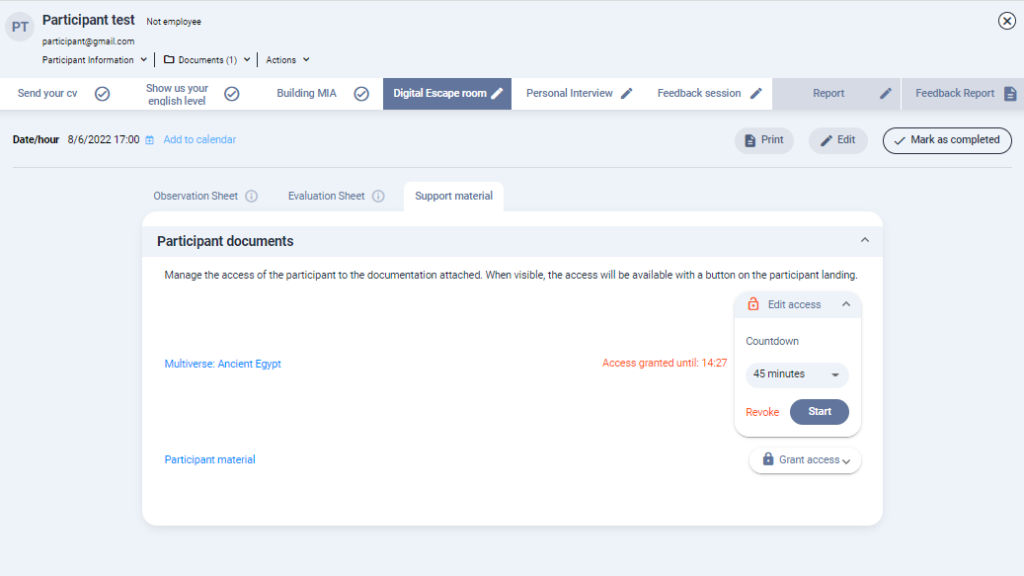
Go to the “support material” and manage the access of the participant to the document attached. When visible, the access will be available with a button on the participant landing. Select how long you want the participant to have access to the document and click on “start” and then “grant access“.
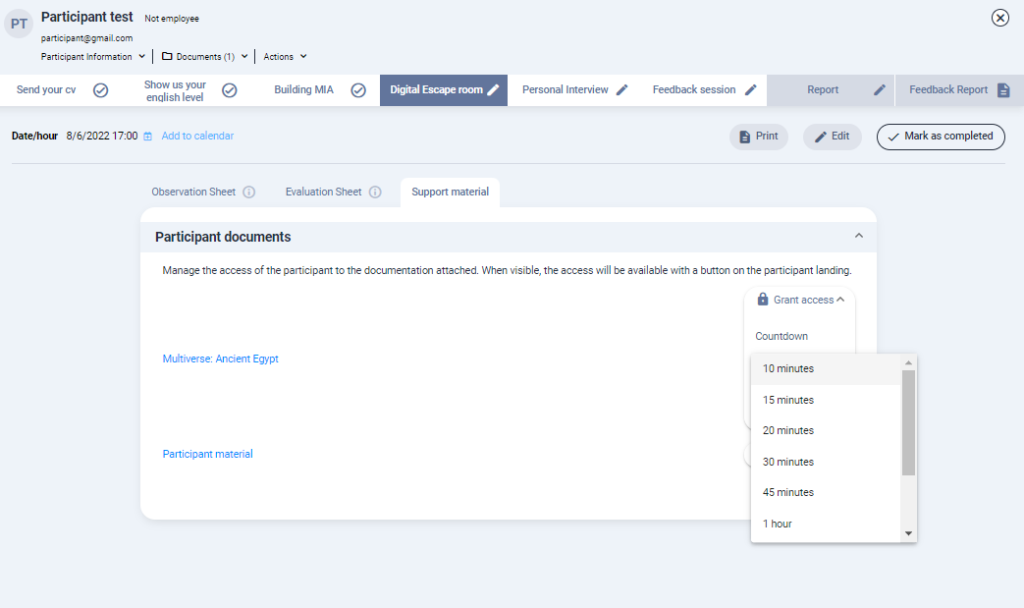
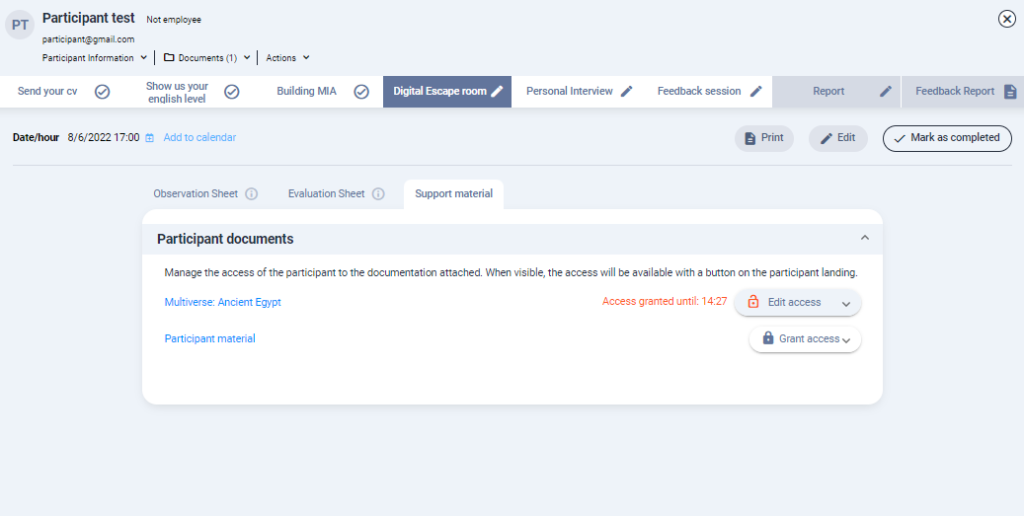
You can revoke access to the material at any time without having to use up the pre-set time.
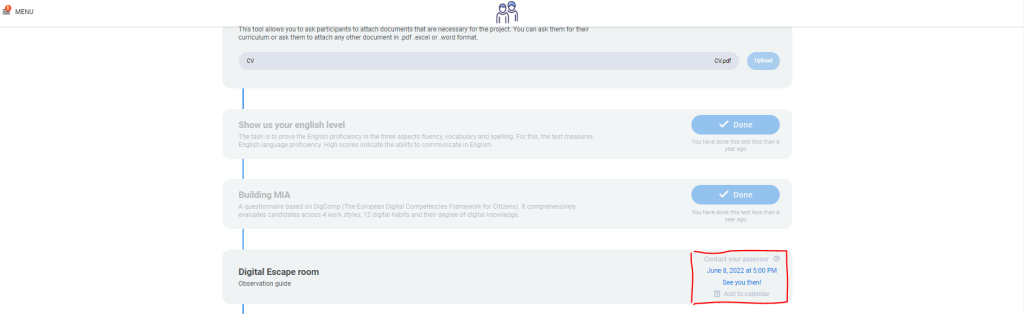
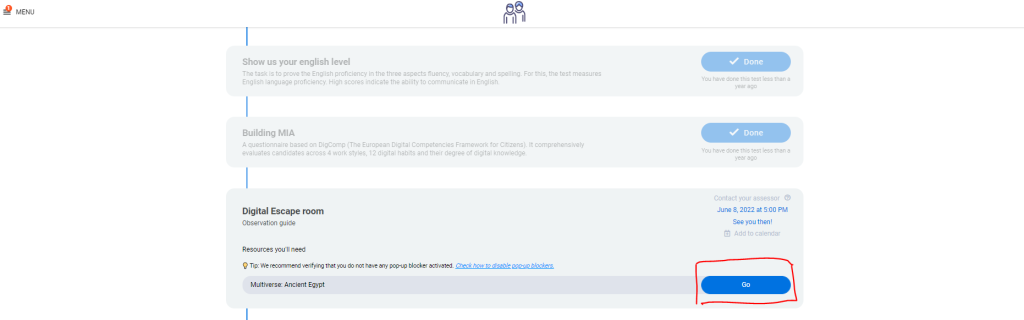
This is how the participant sees the landing page before giving access to the documentation needed to carry out the exercise and below the same image but after giving access to the documentation.