
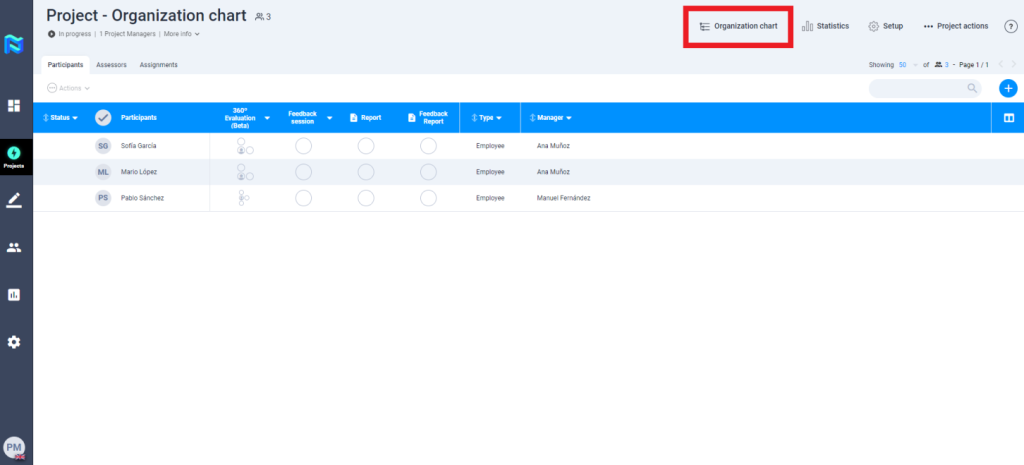
The “Organizational Chart” functionality allows you to visualise the organization participant’s relationships for projects that include the 360º evaluation tool.
Before launching the project and inviting participants, you can see what the Relations chart would look like if you invite all participants to the project. When you launch the project and invite the participants you want, this Relations Chart will be updated according to the current situation.
The double check that you can see to the right of some names indicates that these people are participants in the project.

By clicking on any of these names you can see the tasks they have pending. Following the example of the image, we have the participant Pablo Sánchez who has to perform his self-evaluation, that of his manager Manuel Fernandez, his peer Ana Muñoz and his collaborator Raul Murillo.
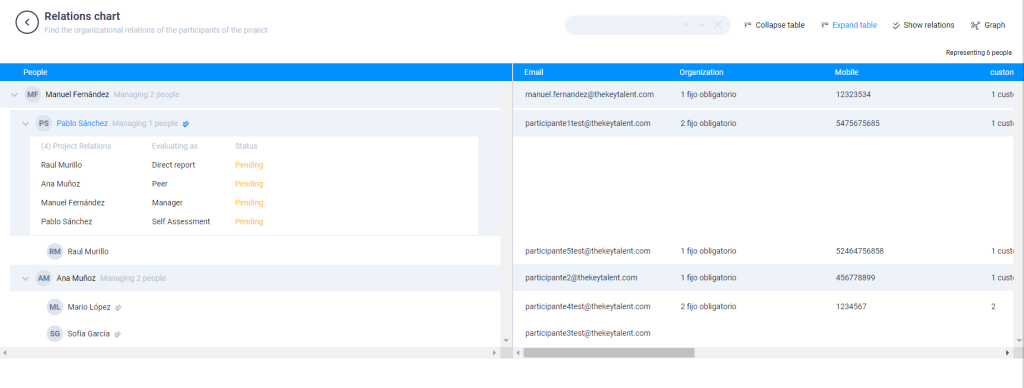
Here you will find people who are not directly participating in the Project, but indirectly participating as evaluators because they are managers, peers or direct reports of any of the participants.

