On Monday, September 12th after 19:00h CET we will do a Panorama system update. There will be a downtime of 2 hours. This new release will include the following new functionalities:
NEW FEATURES:
360º Evaluation – We have a new component in the project module, the organization chart.
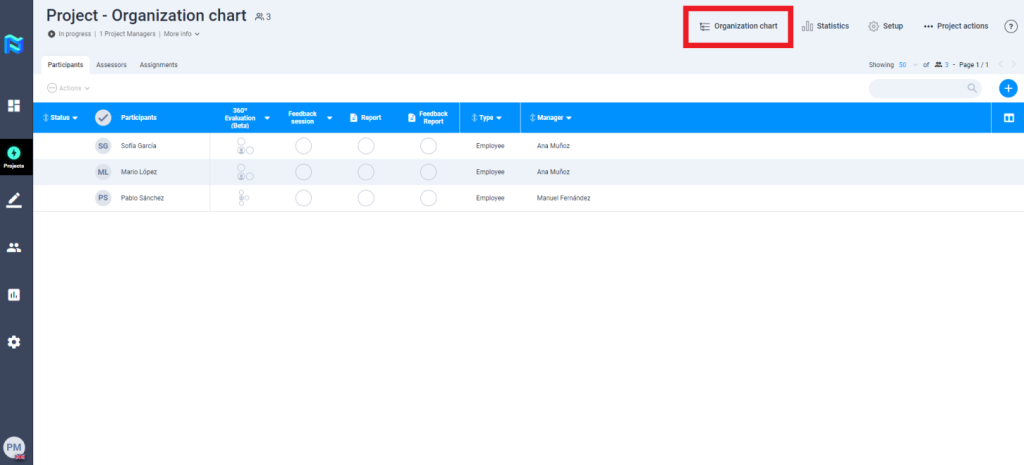
When you access the organisational chart you will be able to see the organisational relationships of the participants in the Project.
The double check that you can see to the right of some names indicates that these people are participants in the project.
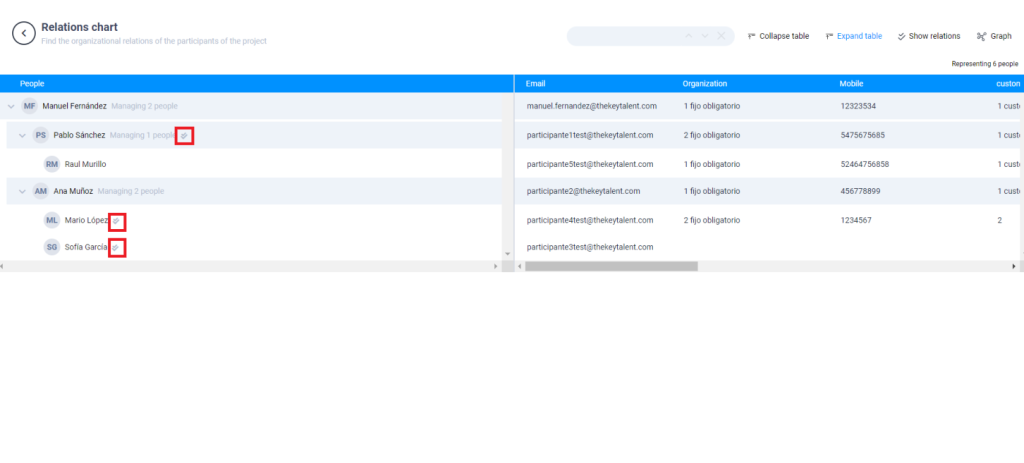
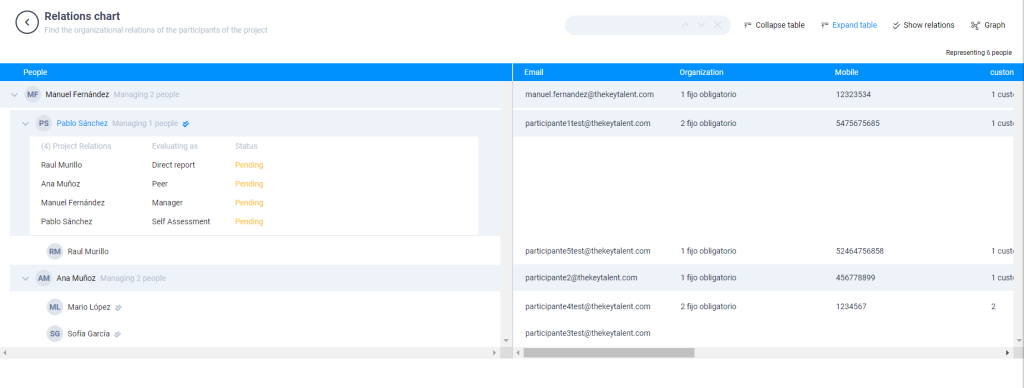
Here there will appear people, who are not directly participating in the Project, but who are indirectly participating as evaluators because they are managers, peers or direct reports of one of the participants.
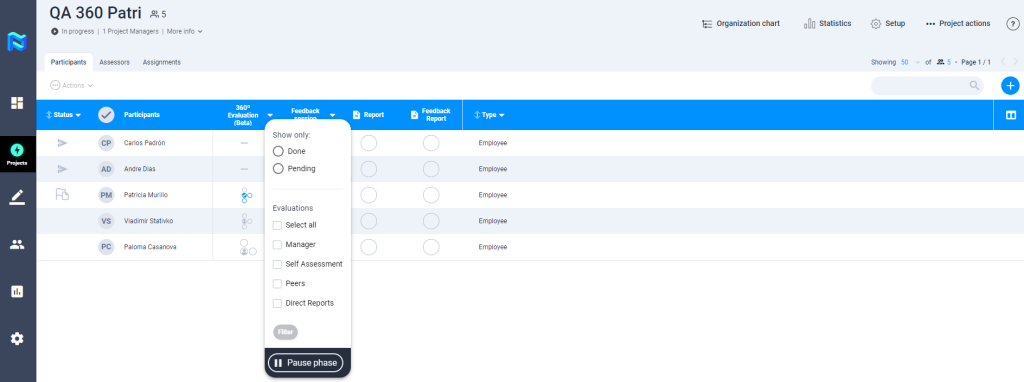
- 360º Evaluation – We have added a filter in the participant’s table for the 360º evaluation tool that allows filtering by status type (done and pending) for each evaluating group, which allows the PM to manage the project much more efficiently.
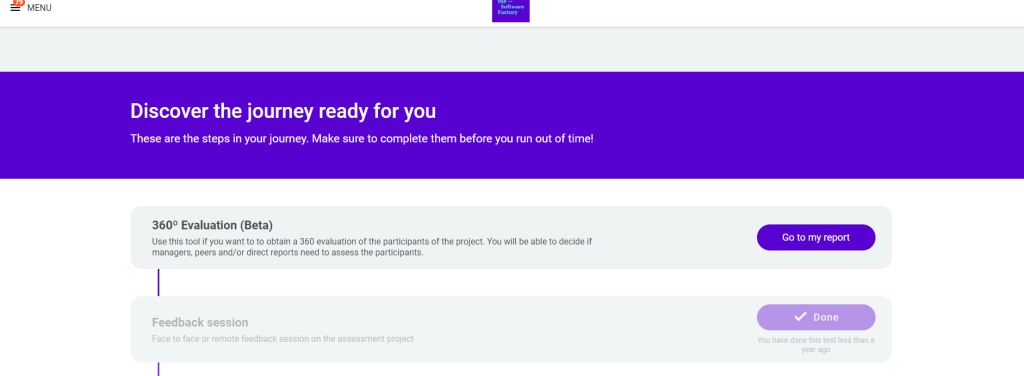
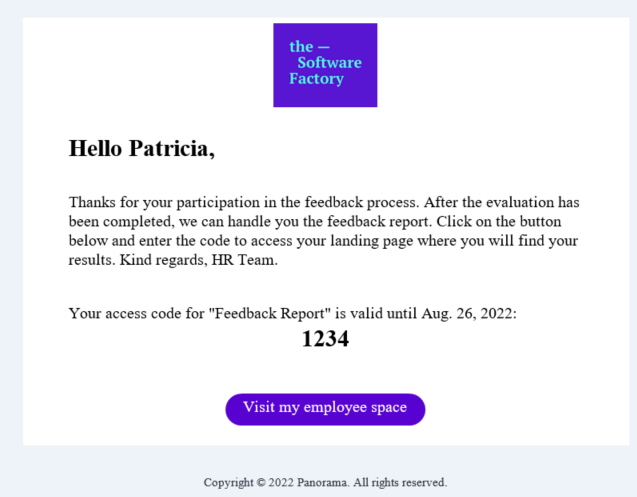
360º Evaluation – Feedback 360 report: From now on the 360º evaluation tool report will be released on the participant’s landing page after the due date of the tool. In addition, if the “automatic sending of the results report” has been activated in the tool’s configuration, the participant will receive an email informing him/her that the feedback report is available on his/her landing page.
- 360º evaluation – excel download: We include all relevant information about the 360º assessment tool in the excel download.
- Self-assessment score for each competence
- Manager score for each competence
- Average score of peers for each competency
- Average score of collaborators for each competency
- Average score of the evaluators (without self-assessment) for each competence
- Open questions
- Projects – Excel download: We have included the answers to the open questions from the observation guides in the excel download of participants’ results.
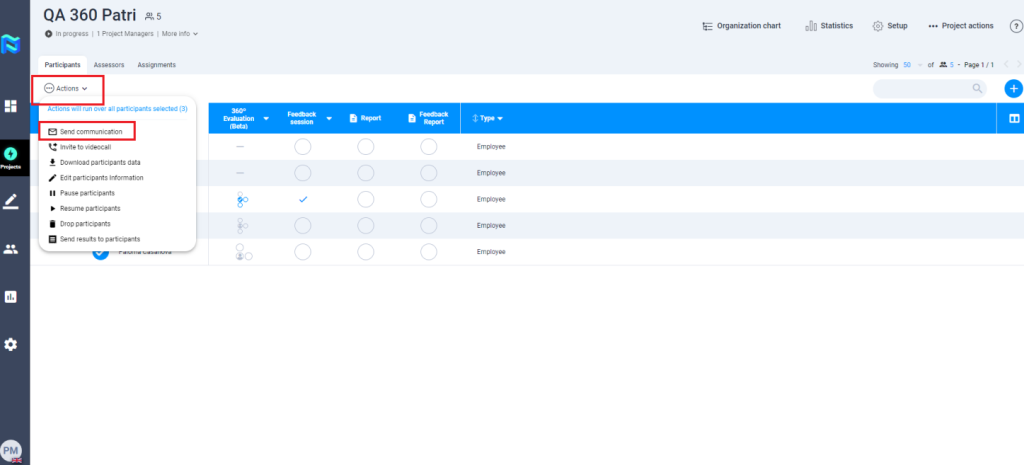
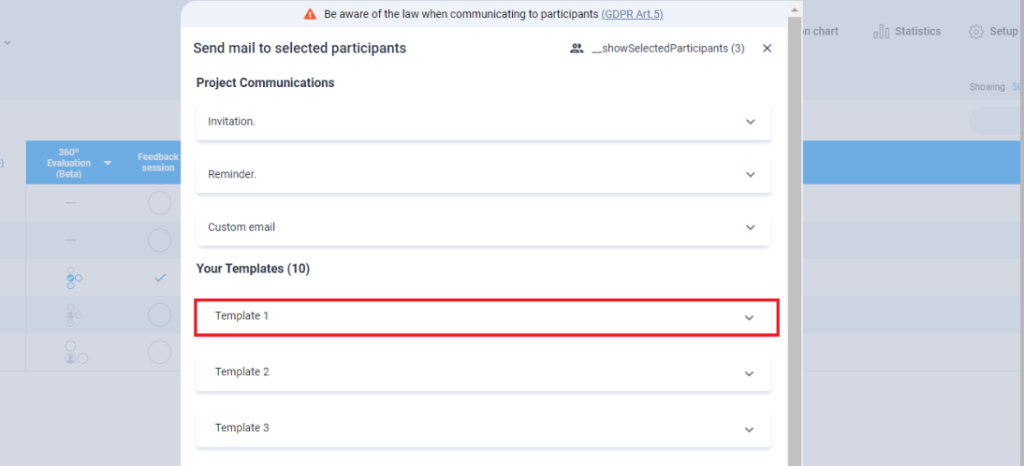
- Projects – Communication: We have made some changes to the project’s communication configuration style and added a new feature that allows you to create email templates. After launching the project, you can edit the templates and add more.
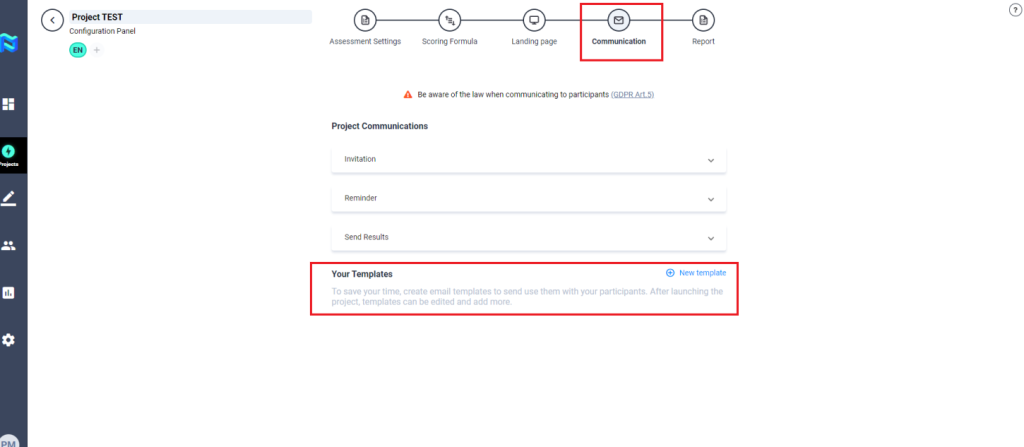
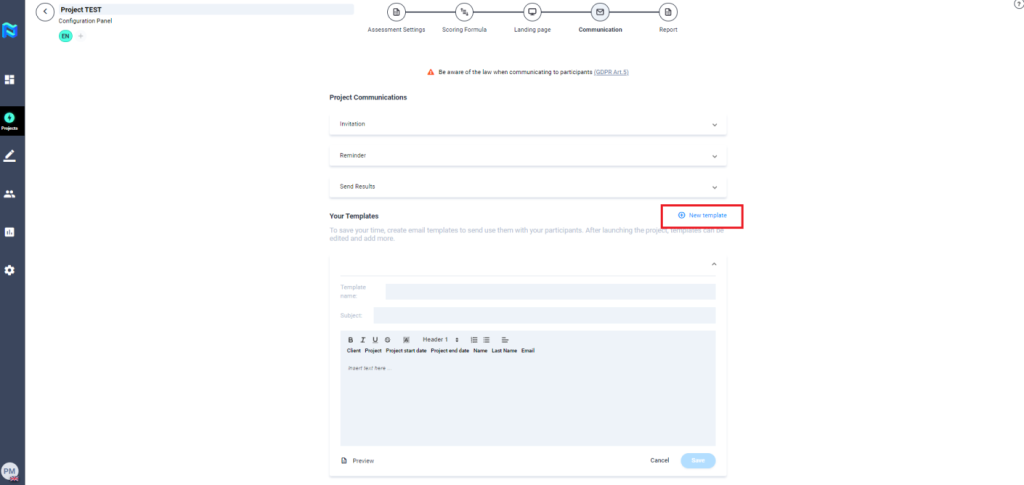
These templates can be used in bulk action from both the participant and assessor tables.
- Parter Area – Assessment model: We are preparing the partner area to offer the possibility to pre-load an assessment model that can later be included in the new clients so that they can have it available directly in their assessment model area.
As a first iteration, we have included in the partner area the module “Assessment model”.
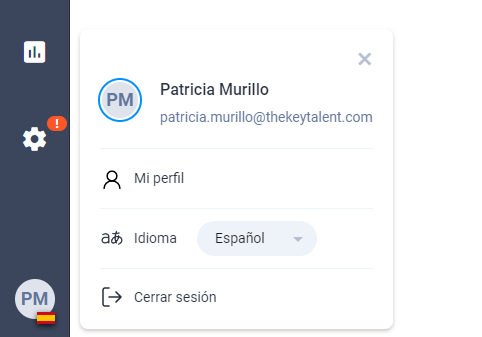
- User profile: We have changed the Panorama user interface to give you the possibility to change the language quickly without having to leave the platform.