In the Settings Panel, you will be able to configure and preview both the HR report and the feedback report, which you can send to the participant at the end of the process (if you are HRM or PM).
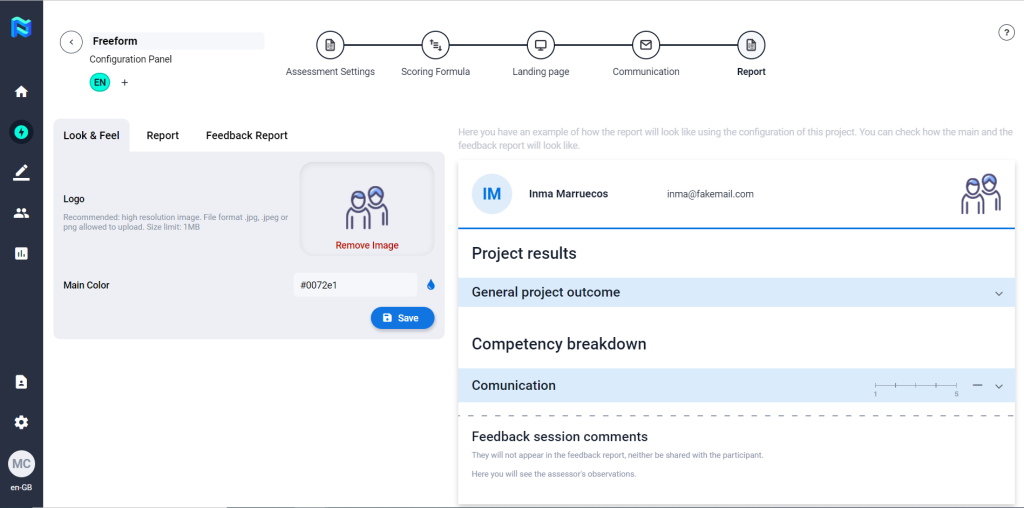
Look & Feel
Here you will be able to include the logo and the main colour of the client for the reports.
Recommended: high resolution image. File format .jpg, .jpeg or png allowed to upload. Size limit: 1MB
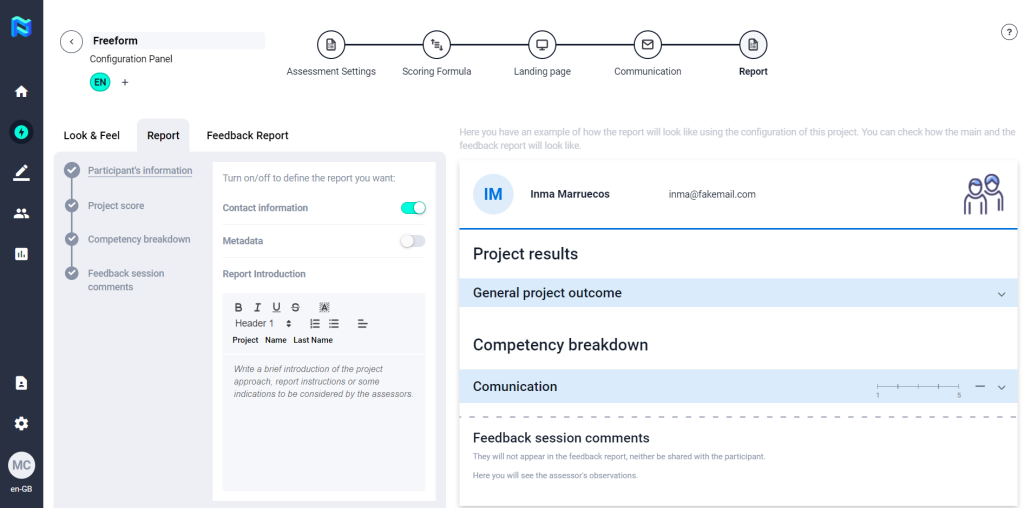
Report
You will be able to enable or disable the different sections of the report so that you can configure the report to the different needs of the project. Also, you will be able to write a brief introduction of the project approach, report instructions or some indications to be considered by the assessors. The format of the report will be common to all participants in that project.
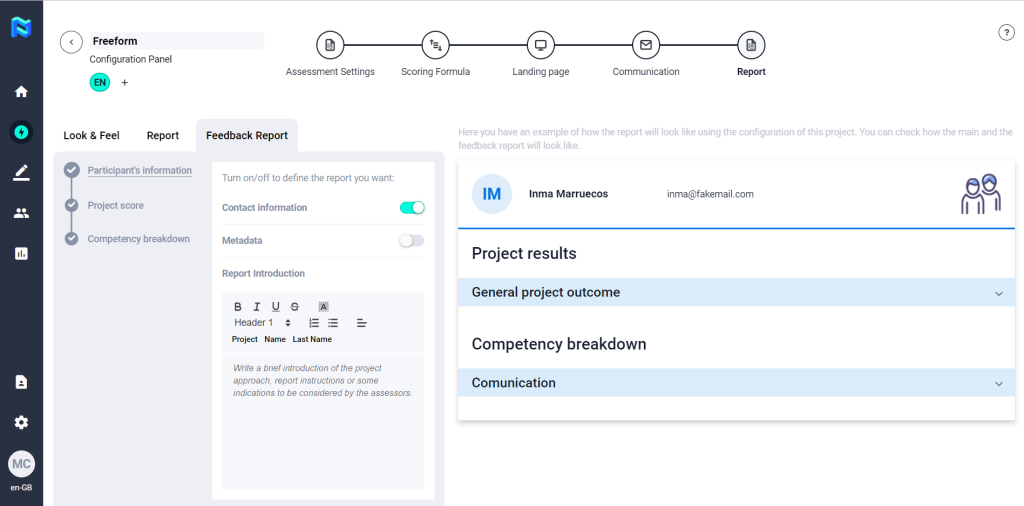
Feedback Report
In the same way as the participant’s report, you will be able to enable or disable the different sections of the report so that you can configure the report to the different needs of the project. Also, you will be able to write a brief introduction of the project approach, report instructions or some intications to be considered by the assessors. The format of the report will be common to all participants in that project.